Sign up for our free webinar Visualize it: The Secret of High-Performing Teams

Sign up for free webinar

About Gaudenz Alder

Content Creator at Seibert Group / draw.io

Thank you and have a lovely holiday season!

Thank you and have a lovely holiday season!

The festive season is in full swing and our packed 2017 is nearing its end. We want to take this opportunity to thank you! A very special thank you to all of our partners and customers, especially everyone who has given us feedback throughout the year,…

By Gaudenz Alder|

40K+ Reviews

40K+ Reviews

A huge thank you to our users for leaving us more than 40K reviews and giving draw.io an average rating of 4.92 out of 5! Some of the standout common feedback says what you love about draw.io: - It's a free online diagramming tool. - draw.io is intuitive,…

By Gaudenz Alder|

Illustration of a woman holding a laptop between an org chart on the left and a mind map centred on an orange node on the right, representing tree diagrams in draw.io

Organization Charts and Mind Maps in draw.io

UPDATE: This functionality is now in the editor (no plugin needed). Note: Advanced shapes are the only ones that work with the automatic re-positioning. Enable the Advanced shape collection by clicking on More Shapes at the bottom of the left panel and…

By Gaudenz Alder|

Use draw.io Offline

Use draw.io Offline

Not everyone is connected to the internet at all times. Of course, we want our internet connections (and electricity supply) to be stable and always be able to access the internet when we are travelling. But sometimes, the unthinkable happens, and we are…

By Gaudenz Alder|

Does your company use Google Team Drives for business file sharing within the organization? Share your draw.io digramms with Google Drive.

Google Team Drives Support

Is your company using Google Team Drives for business file sharing within the organization? So that you can store, share and collaborate diagrams using Google Team Drives, we've updated draw.io to include Team Drives as a storage location. draw.io for Google…

By Gaudenz Alder|

Support for high-resolution images has been added to the Google Docs add-on.

Google Docs Add-on Now Supports High-Resolution Images

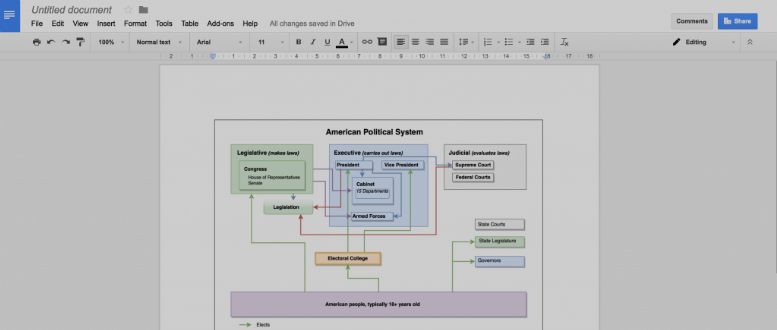
Are you tired of seeing low-resolution draw.io diagrams when you print from Google Docs? This is no longer a problem! Support for high resolution images has been added to the Google Docs Add-on, which allows you to embed draw.io diagrams directly in your…

By Gaudenz Alder|

Improved Import - More File Formats and Sources

Improved Import - More File Formats and Sources

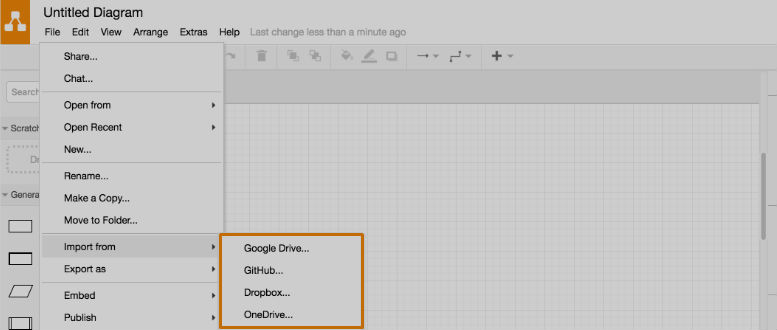
You could always import a selection of files into draw.io, but your import options have been greatly expanded. In this new release, you can now import and display diagrams in the following file formats: - Gliffy - vsdx - PNG (with XML) - SVG - JPEG Files of…

By Gaudenz Alder|

GitHub Support

GitHub Support

This new release of draw.io supports GitHub, using OAuth, which means that draw.io never will see your GitHub password. Diagrams can be opened from, saved, and exported to your repositories. Note that there is a 1MB file size limit on files stored in GitHub.…

By Gaudenz Alder|

4 Ways to Connect Shapes

4 Ways to Connect Shapes

If you draw additional lines between shapes in a diagram, they won't move with your shapes when you move them around the drawing area. By using actual connectors (not lines), your diagram becomes much more flexible and easy to work with. There are four…

By Gaudenz Alder|

Animation and Automatic Layout: Explore Complex Diagrams

Animation and Automatic Layout: Explore Complex Diagrams

In business, there are many diagrams that illustrate complex relationships. The initial diagram can be overwhelming, especially if you don't know the processes or information that are represented. Being able to explore a complex diagram, step-by-step, looking…

By Gaudenz Alder|

Share Diagrams With Public Google Files

Share Diagrams With Public Google Files

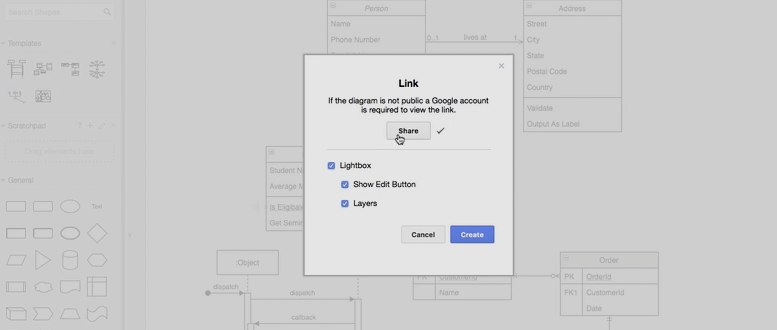
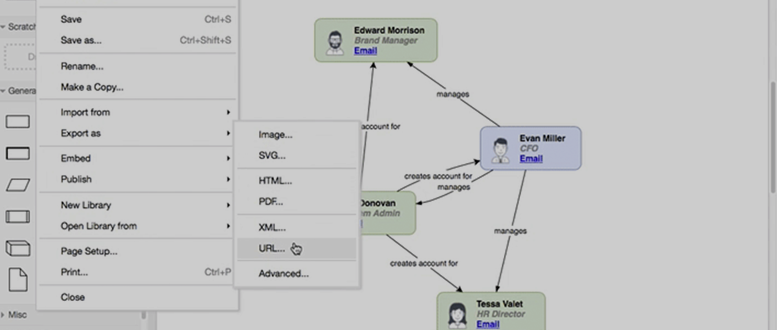
You can now share a draw.io diagram with everyone, providing it is stored as a public file. Step 1: Click File → Publish → Link You can check whether a diagram is public, by clicking Share. This will show you the current sharing settings for your diagram.…

By Gaudenz Alder|

Number Plugin

Number Plugin

"Number" Plugin for enumerating elements (via View, Number) Install via Extras, Plugins, Add

By Gaudenz Alder|

30K+ Reviews

30K+ Reviews

A big thanks to our users for 30K+ reviews and an average rating of 4.92 out of 5!

By Gaudenz Alder|

Alt+Drop

Alt+Drop

There are many time-savers in draw.io: For example, you can drag a shape over a container, and you'll see the container outline highlighted in blue. When you drop the shape you have dragged, the container will automatically resize to include the shape you…

By Gaudenz Alder|

Quickly add shapes to draw.io

Quickly add shapes to draw.io

You can save a lot of time when diagramming with draw.io. If you know which shapes you'll need to use in your diagram, you can simply click on them in the shape library, to add them quickly to the drawing area. Now, these shapes will appear neatly stacked…

By Gaudenz Alder|

Multiple Pages Per Diagram

Multiple Pages Per Diagram

For our latest blogpost on this topic, see How to build multipage diagrams in draw.io Some diagrams are too large, too complex to fit on just one page. And it's actually sensible to break the information up over multiple pages so that viewers are not…

By Gaudenz Alder|

Incremental Find Plugin

Incremental find plugin in Edit, Find (Ctrl+F) https://www.draw.io/?splash=0&p=find Install permanently via Extras, Plugins, Add (see here)

By Gaudenz Alder|

Simplified Tags Plugin

Simplified tags plugin for visual filtering in Extras, Tags https://www.draw.io/?p=tags&url=http%3A%2F%2Fi.imgur.com%2FpwLBwQP.png Install via Extras, Plugins, Add

By Gaudenz Alder|

draw.io Diagrams for Confluence

This release updates to draw.io release 5.7.2.0 and adds, notably: - Text in shape labels is now indexed in Confluence search when diagrams are saved. - The mass Gliffy importer has a range of improvements in fidelity, task stability and reporting.…

By Gaudenz Alder|

New Veeam stencil set

New Veeam stencil set

Veeam is a popular solution for documenting IT architectures. It automatically builds diagrams from your AWS (Amazon Web Services), Microsoft Azure and IBM Cloud infrastructures. In case you want to build your own architecture diagrams using the Veeam…

By Gaudenz Alder|

SQL Plugin

Community plugin for database schemas https://www.draw.io/?splash=0&p=sql via Insert, From SQL. Please submit PRs to https://github.com/jgraph/draw.io/blob/master/war/plugins/sql.js#community

By Gaudenz Alder|

Tags Plugin

Experimental tags plugin: Add a tags property to cells (Ctrl+M), define a filter via Extras, Tags (with tags plugin) https://www.draw.io/?p=tags&url=http%3A%2F%2Fi.imgur.com%2FpwLBwQP.png

By Gaudenz Alder|

Snap to Point

To snap to anchor points, use snapToPoint=1 in the vertex or edge style (Ctrl+E)

By Gaudenz Alder|

Experience the power of draw.io

How would you like to explore?

draw.io Digest – Subscribe to our Newsletter

Yes, I would like to receive the draw.io for Confluence and Jira newsletters, whitepapers, the latest blog posts, and announcements. (You can unsubscribe at any time.)

For more information about our data usage, please refer to our privacy policy.

Here you will find an overview of all cookies used. You can give your consent to whole categories or display further information and select certain cookies.