You asked for it, and we have delivered! Line jumps, also known as edge jumps or bridges, are used to show that lines cross each other, but do not connect. They can be used in electrical diagrams or in any diagram where you have connecting arrows that cross over each other, to make your diagram unambiguous and easy to ‘read’. Note a connection jumps another connection when it is above that connection (closer to you). Use the “to front” functionality to place a connection on top of another.


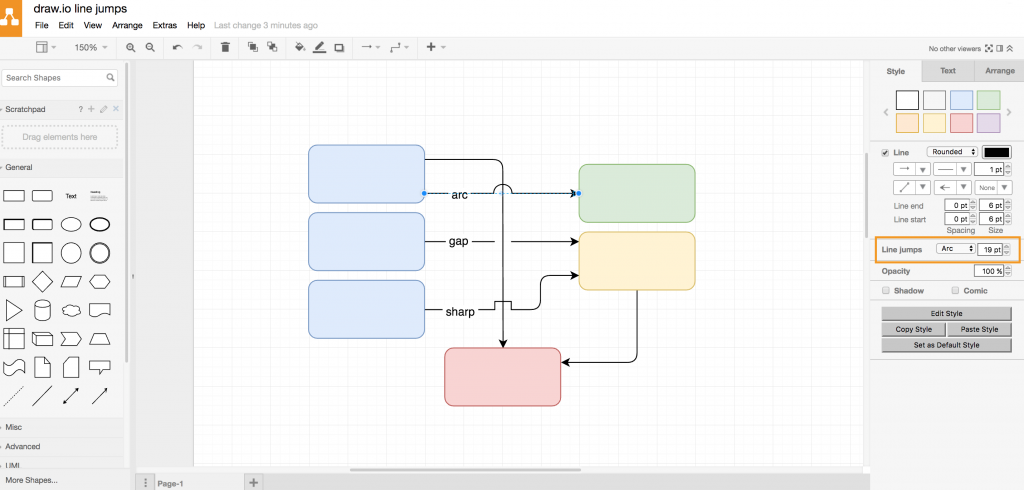
There are three styles you can use for line jumps, as you can see in the image above. To create a line jump where lines are crossing over each other, or to change it’s style or the ‘size’ of the jump:
- Select a connector in your diagram.
- In the Format panel on the right hand side, use the drop down list to choose a style: none, arc, gap and sharp.
- Next to the drop down list is the size of the jump - change this if you want a more or less obvious line jump.
Vote for your favorite new feature!
You can send us your feature requests, and we’ll put the most voted-for feature at the top of our development queue.