Sign up for our free webinar Visualize it: The Secret of High-Performing Teams

Sign up for free webinar

About Kymberly Fergusson

Content Creator at Seibert Group / draw.io

draw.io Training – Exercise 10: Export and import

draw.io Training – Exercise 10: Export and import

What you are going to learn in this tutorial - All about the export options. - Importing files via Drag and Drop. - The draw.io mass import functionality. Introduction If you are using a platform or creating a document that can’t embed a draw.io diagram,…

By Kymberly Fergusson|

Create UML communication diagrams in draw.io.

UML communication diagrams

Communication diagrams are another way to visualize the information more commonly represented by UML sequence diagrams. They are simpler than sequence diagrams and only show the messages that pass between the objects or roles in a software program,…

By Kymberly Fergusson|

You could always add curved connectors to draw.io, but we’ve made it easier now to add extra curves and waypoints.

Curved connectors in draw.io diagrams

Sometimes, diagrams call for a bit more creativity and fun - you can now add even more curves to your curved connectors in draw.io diagrams! You could always add curved connectors to draw.io, but we've made it easier now to add extra curves and waypoints.…

By Kymberly Fergusson|

Add comments to draw.io diagrams in Confluence Cloud

Comment on draw.io diagrams in Confluence Server

Being able to comment on content in Confluence is an important part of collaboration. Earlier this year, we added the ability to comment on draw.io diagrams to Confluence Cloud. In the most recent release, this feature is now available in draw.io for…

By Kymberly Fergusson|

With draw.io, you can take your CSV file, add some configuration ‘code’, and create a diagram automatically!

Examples: Import from CSV to draw.io diagrams

Most organizations have a lot of data in spreadsheets. Of course, spreadsheet programs are great at creating charts from purely numerical data. But what if your data isn't just numbers? Maybe you are tracking your supply chain in a spreadsheet or a database -…

By Kymberly Fergusson|

Creating different types of flowcharts with draw.io

Creating different types of flowcharts with draw.io

Flowcharts, process diagrams, workflows, activity diagrams: No matter what they are called, they all visualize the steps, decisions and sometimes the interactions needed to get something done. There are many different types of flowcharts, and you can create…

By Kymberly Fergusson|

How to create flowcharts in draw.io

How to create flowcharts in draw.io

Flowchart use cases Flowcharts, data flow diagrams, workflows, process diagrams, activity diagrams, process maps: No matter what you call them, you have most likely used them! Flowcharts are the most common diagram type that is used in all industries and…

By Kymberly Fergusson|

The ecosystem of draw.io integrations

The ecosystem of draw.io integrations

draw.io integrates with many popular software tools There is a large collection of tools and platforms that have integrated draw.io. Just as there are many different types of diagrams for different use cases, different departments use different tools for…

By Kymberly Fergusson|

draw.io at Atlassian Summit 2019

draw.io at Atlassian Summit 2019

We've set up our booth at Atlassian Summit 2019 in Las Vegas and are waiting to see you! Come and say hello to the team at booth 905 Our booth is right next to the entrance: see a demonstration, ask any questions you may have and pick our brains to see how…

By Kymberly Fergusson|

Add comments to draw.io diagrams in Confluence Cloud

Comment on draw.io diagrams in Confluence Cloud

Confluence is one of the most popular intranet platforms for team collaboration. It is ideal as a central knowledge base, a working space for project and research groups, a repository for product information and marketing material, and a place to document all…

By Kymberly Fergusson|

Create your own Business Model Canvas in draw.io

Using the Business Model Canvas template in draw.io

A business model canvas is a template to map and discuss how your business works, and to design and invent new business models. The model visually shows you the different aspects that must be considered when building your business or improving an existing…

By Kymberly Fergusson|

In draw.io you can edit the code that represents the shape or connector directly

Shape styles in draw.io

draw.io is a diagramming tool that is capable of creating very complex diagrams using highly customizable shapes. Of course, you can use the format panel on the right to change the colors, text, alignment and other settings for your shapes and connectors. And…

By Kymberly Fergusson|

We want to make draw.io better for you! But to do that, we need you to give us some feedback.

What do you think about draw.io?

We want to make draw.io better for you! But to do that, we need you to give us some feedback. How are you using draw.io right now? What features do you love or what do you hate? Do you have any questions? Our draw.io team at //SEIBERT/MEDIA is on standby to…

By Kymberly Fergusson|

With the free draw.io add-on for Google Docs and Slides, you can easily add your draw.io diagrams as images to your documents and presentations, without having to export an image from draw.io and paste it into your document manually each time you change your diagram.

Use draw.io diagrams in Google Docs

Diagrams are powerful - they make text easier to understand, and you are more likely to remember information when it's presented in a diagram. Plus, they make your documents and presentations look much more professional. Companies are increasingly switching…

By Kymberly Fergusson|

UML diagrams - which diagram to use and why

UML diagrams - which diagram to use and why

The Unified Modeling Language (UML) is a diagramming notation (language) that lets you visualize systems and software. It's one of the most popular forms of diagramming in software development and became an ISO standard in 1997. Since then, there have been a…

By Kymberly Fergusson|

There are several different line styles that you can use for your connectors in draw.io.

Connector styles and animations in draw.io

Lines, connectors, arrows, transitions - these are the glue that hold diagrams together. They make your diagram make sense. There are many different styles you can use on your connectors - different connection point styles or arrow heads, different line…

By Kymberly Fergusson|

UML state diagrams with draw.io

UML state diagrams with draw.io

State diagrams have been used in programming to describe the various possible states that a system can be in for decades. They also quickly show which states lead to each other, and what triggers a change of state. Of course, you can use these diagrams for…

By Kymberly Fergusson|

You can attach draw.io diagrams directly to the issues where they belong by using the draw.io app for Jira.

Add a draw.io diagram to a Jira issue

Many companies use Jira for task management: software development teams, business management, marketing teams, help desks, you name it - all departments can take advantage of Jira's powerful features to coordinate their projects. You can attach draw.io…

By Kymberly Fergusson|

Create a value proposition canvas with draw.io

Create a value proposition canvas with draw.io

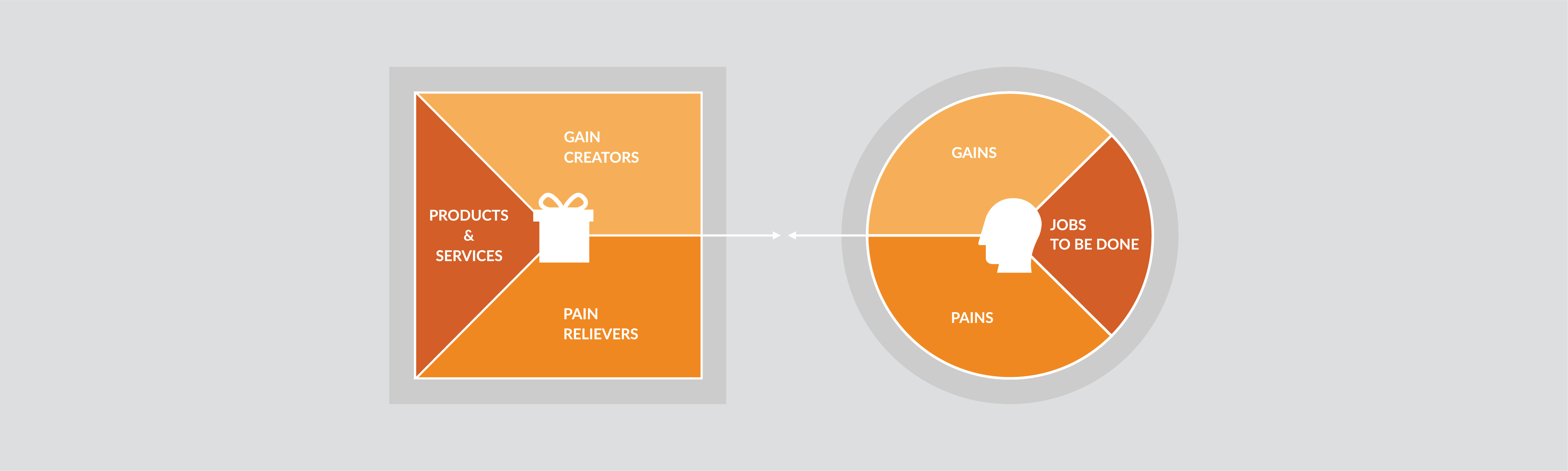
The Jobs to Be Done theory is being increasingly often used by successful IT companies, including Google, Cisco, Intercom and Basecamp. It's an approach to focus fully on the customer and their goals (jobs) as you design, develop and improve your products and…

By Kymberly Fergusson|

Atlassian European Summit 2018 with draw.io and cPrime

Thanks for a memorable Summit 2018!

We had a blast at Atlassian Summit Europe 2018, and were thrilled with how many people are interested in both diagramming in general, and draw.io specifically. And it wouldn't be as fun without you - our colleagues and friends, partners and customers! We must…

By Kymberly Fergusson|

See you at Atlassian Summit Europe 2018!

See you at Atlassian Summit Europe 2018!

draw.io is a Diamond Sponsor of the Atlassian Summit Europe 2018 in Barcelona The Atlassian Summits are only getting bigger and better each year - they are the best way to meet other customers, chat with app developers and vendors, and dive deep into the…

By Kymberly Fergusson|

Your diagram data is private and secure with draw.io

Your diagram data is private and secure with draw.io

When you work on a draw.io diagram in Confluence Server or Cloud, the data is only stored as page attachments within Confluence, nowhere else. Your diagram data is never sent to our servers during save/load, even in transit. On Confluence Server/DC, in the…

By Kymberly Fergusson|

Force diagrams with draw.io

Force diagrams with draw.io

You may have heard about the Jobs to Be Done theory - it is being used by some of the larger successful IT companies, including departments at Google, Cisco, Intercom and Basecamp. It's a way to laser focus your product and service development directly on…

By Kymberly Fergusson|

Interactive diagrams with custom links and actions

Interactive diagrams with custom links and actions

Sometimes diagrams can get to be too complex, especially if they build on the same template. For example, a detailed floor plan can show walls, doors and windows, lights, plumbing, furniture, fire safety measures, power points, room assignments, networking…

By Kymberly Fergusson|

You can create UML interaction overview diagrams in draw.io. These UML diagrams are a combination of an activity diagram and sequence diagrams.

UML interaction overview diagrams in draw.io

You can create all types of UML diagrams in draw.io, as you have seen in previous posts. So far, we've covered use case diagrams, activity diagrams, class diagrams, and sequence diagrams. In this post, let's take a look at interaction overview diagrams.…

By Kymberly Fergusson|

Illustration of a person studying a UML sequence diagram on a whiteboard with Note and :Object lifelines dispatching messages between them in draw.io

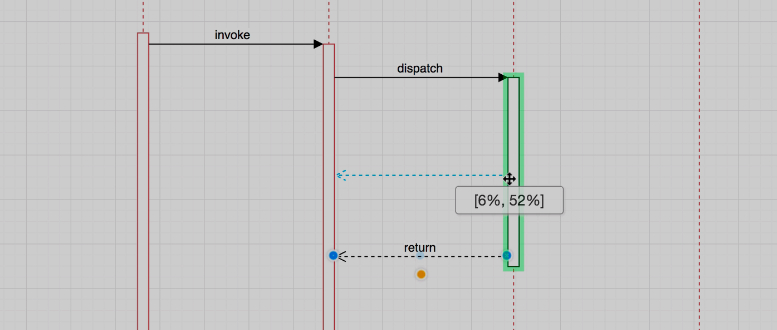
Create UML sequence diagrams in draw.io

UML sequence diagrams are the first highly detailed behavioural diagrams that you will create when using UML for software development. They aren't so often used in business process modelling, especially because they refer to the actual data and operation…

By Kymberly Fergusson|

Entity Relationship Diagrams (ERDs) with draw.io

Entity Relationship Diagrams (ERDs) with draw.io

Entity relationship diagrams (ERD) or ER models represent the data in any system. You can use them to illustrate how data is structured in business processes, or to detail how data is stored within relational databases. ER diagrams don't necessarily show how…

By Kymberly Fergusson|

UML class diagrams in draw.io

UML class diagrams in draw.io

The Unified Modeling Language or UML notation is probably the most well known and regularly used visual representation of programs that you'll find in software development. There are a wide range of diagrams to help you specify your data and processes before…

By Kymberly Fergusson|

Create UML activity diagrams in draw.io

Create UML activity diagrams in draw.io

There is a huge list of diagrams that can help you visually model your software programs before you develop them. Plus you can model any and all types of processes (business, manufacturing, sales, etc.) Unified Modelling Language (UML) provides you with a…

By Kymberly Fergusson|

UML use case diagrams with draw.io

UML use case diagrams with draw.io

Use case diagrams in UML are used during the requirements phase of software development - they usually put the system requirements into a diagram format, and it's easy to see what actions a system must support at a glance. Of course, there will be many use…

By Kymberly Fergusson|

You can use Venn diagrams in draw.io to group,compare and contrast anything based on their shared or different traits.

Create Venn diagrams with draw.io

You can use Venn diagrams to group, compare and contrast anything based on their shared or different traits. For example, you can use Venn diagrams to: - classify groups of users of your computer system based on the permissions they will be assigned or the…

By Kymberly Fergusson|

Use draw.io to mockup your mobile apps

Use draw.io to mockup your mobile apps

You wouldn't just start coding your mobile app without creating a few mockups of the user interface first. And draw.io makes this easy! But should I create a mockup as soon as I have an app idea? No! First, you'll want to start with outline the tasks that…

By Kymberly Fergusson|

Import VSDX files

Import VSDX files

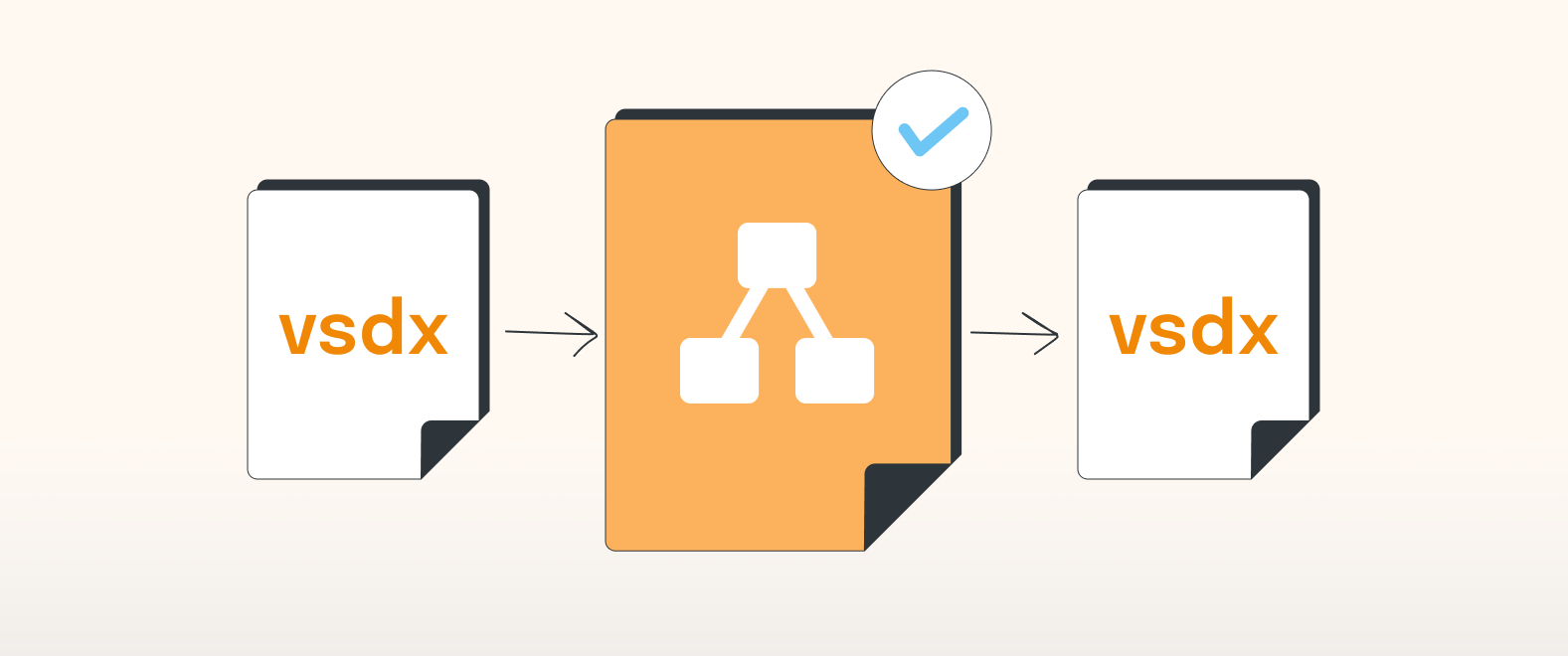
It's easy to work with files of other formats in draw.io. One of the more common diagramming formats, especially used in large companies, is the .vsdx format (Visio). Because not everyone in the company has access to this diagramming tool, they can use…

By Kymberly Fergusson|

the diagramming tool draw.io is now a Trello Power-Up

draw.io is now available as a Trello Power-Up!

draw.io is now a Trello Power-Up! Just like how diagramming can be used in a huge range of situations, Trello is a powerful and flexible tool that can be used for any and all types of projects, from marketing, HR and sales, through to software development and…

By Kymberly Fergusson|

Use anchors within draw.io to spice up a long Confluence page and capture the attention of your users

Using anchors within draw.io in Confluence

Confluence Server only If you are using Confluence, I'm sure you have extremely long pages, somewhere within your intranet. Anchors can make a long page more readable. You don't want to have to scroll through the whole page to get an overview from the many…

By Kymberly Fergusson|

Which format should I export a diagram to?

Which format should I export a diagram to?

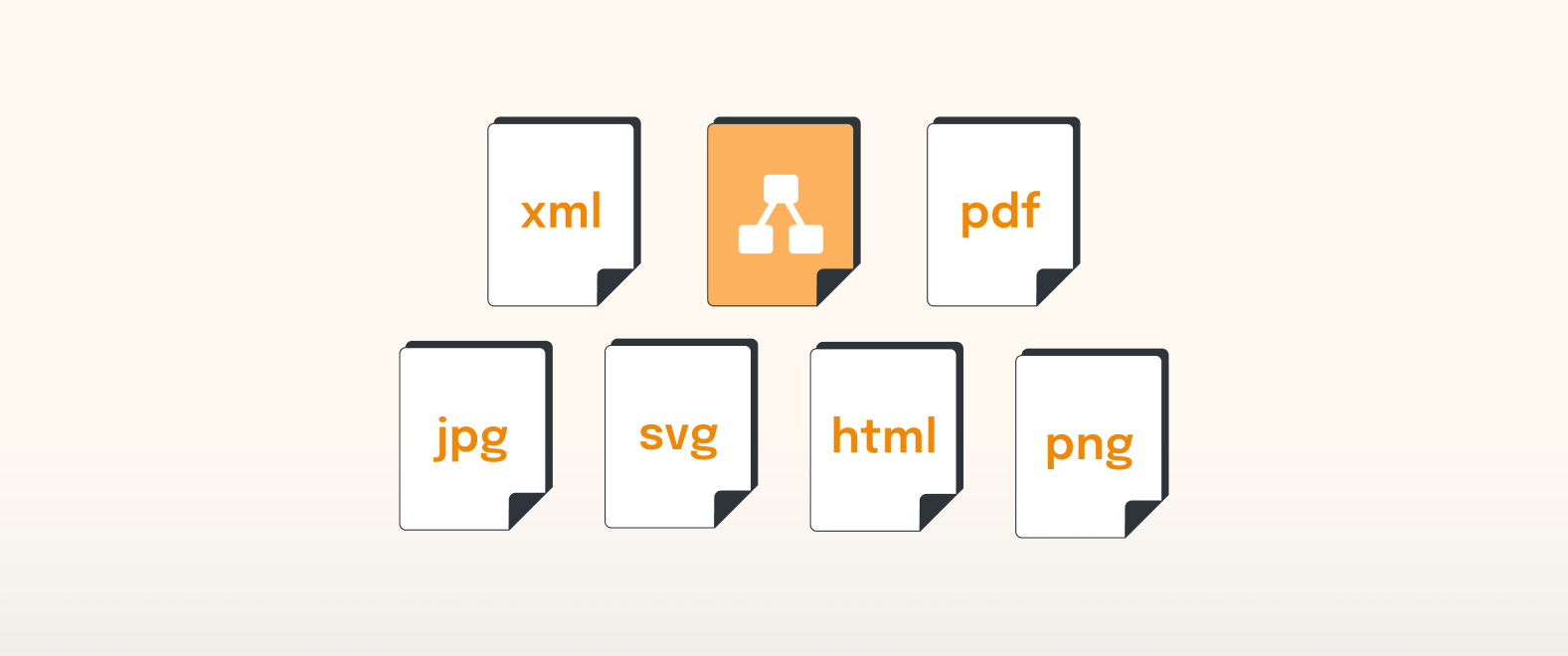
As with most drawing tools, you can export to a wide range of formats with draw.io. Right now, you can export a diagram to: - Diagramming tool formats: .xml - Document formats: .pdf and .html - Vector graphics format: .svg (with embedded XML) - Image formats:…

By Kymberly Fergusson|

Edit a draw.io diagram from view mode in Confluence

Edit a diagram from view mode in Confluence

There are many times when you simply want to update a diagram but don't want to change any of the text on a page within Confluence. That's easy to do with draw.io: Simply hover over the diagram while you are looking at the page in view mode to display the…

By Kymberly Fergusson|

Thanks for coming to see our draw.io Team at Atlassian Summit 2017

Thanks for coming to see us at Summit 2017!

We had an incredible time at Summit 2017. It was great to meet and talk with so many new people, and catch up with everyone we had met before. You gave us a mountain of new ideas and inspiration! The first-ever Add-on Discovery Day was a great success.…

By Kymberly Fergusson|

draw.io - Line jumps in are used to show that lines cross each other, but do not connect

draw.io Now Supports Line Jumps

You asked for it, and we have delivered! Line jumps, also known as edge jumps or bridges, are used to show that lines cross each other, but do not connect. They can be used in electrical diagrams or in any diagram where you have connecting arrows that cross…

By Kymberly Fergusson|

draw.io - a good collaborative diagramming tool

What makes a good collaborative diagramming tool?

In today's business world, collaboration is key to beating your competition, keeping your customers happy and working with your suppliers and partners to improve your services and products. You need to collaborate with colleagues, within teams, across entire…

By Kymberly Fergusson|

You can use your own fonts in draw.io to make your diagrams more interesting or to match the text to your company’s corporate style guide

Use Your Own Fonts in draw.io

You can use your own fonts in draw.io to make your diagrams more interesting or to match the text to your company's corporate style guide. You can use any fonts that are installed on your computer. Using installed fonts To use a custom font that is already…

By Kymberly Fergusson|

As part of our preparations for the Atlassian Summit, we have developed a training course for drawio. It is intended to provide a deeper understanding of the diagrams and help the user to work more effectively and efficiently.

draw.io Self-Directed Training Course

New to draw.io, or prefer video format? Our draw.io Beginner Academy on YouTube covers everything you need to get started. As part of our preparation for Atlassian Summit Europe 2017, we created a self-directed training course for draw.io that walks new users…

By Kymberly Fergusson|

Atlassian Summit Europe 2017 – we asked people. How would you describe draw.io in a Word?

draw.io in One Word - Atlassian Summit Europe 2017

We had an incredible time at the first ever Atlassian Summit Europe 2017, where draw.io was the diamond sponsor. We got to network with a great bunch of people at our pre-event information session, and meet so many interested in diagramming in Confluence on…

By Kymberly Fergusson|

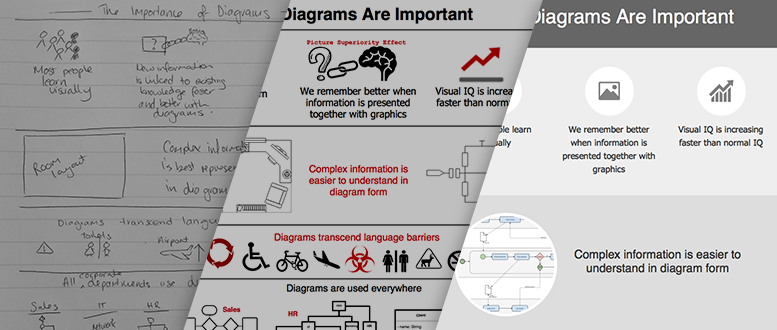
Three points why diagrams are important. 1. We don't have time to read. 2. Most people learn visually. 3. Visual IQ is increasing.

Infographic: Why Diagrams Are Important

To go with our earlier blog post explaining why diagrams are so powerful and important, we've created a new infographic. You can use this to persuade your co-workers and management to make draw.io available to everyone in your company - you'll see increased…

By Kymberly Fergusson|

Learn how to create containers in draw.io

Create a Container Shape in draw.io

Any shape in draw.io can be turned into a container - a shape containing several other shapes. When you move a container around on the drawing area, the shapes located within will move with the container. Containers are useful for indicating groups of steps…

By Kymberly Fergusson|

Floating and Fixed Connections in draw.io

Floating and Fixed Connections in draw.io

You've seen diagrams with connectors - arrows or lines that connect shapes in flow charts, mind maps, organization charts, and more. Almost every diagram uses connectors - these connections indicate relationships between the shapes in a diagram. The most…

By Kymberly Fergusson|

Draw.io now also on the way. Immediately, you can use draw.io on the tablet.

Use draw.io on a Tablet

You are used to using diagramming software on your desktop. But sometimes you want to work on a diagram when not at your computer. Put away your keyboard and mouse - draw.io works just as well on a tablet. draw.io supports all of the popular browsers: Chrome,…

By Kymberly Fergusson|

Photos from the draw.io Team at Summit Europe 2017

Photos from the draw.io Team at Summit Europe 2017

[](/images/blog/2017/05/drawio-team-summit-2017.png) We can't believe that Summit is already over. Two days is far too short! Some of us are still in Barcelona for AtlasCamp, which runs today and tomorrow. Because it was the first Summit in Europe, and…

By Kymberly Fergusson|

If you want to improve business processes, draw.io offers the optimal basis. Symbolize their processes with BPMN diagrams, for example, easily, clearly and comprehensibly.

Improving Business Processes with draw.io

There are many workflows in every company and in every industry that can be optimized. It is easier to see areas where a process can be improved when you illustrate the existing process with a diagram. We understand things better and faster in diagram form,…

By Kymberly Fergusson|

Illustration of a woman holding a Welcome! sign next to a simple org chart diagram built in draw.io

Better Onboarding with Diagrams

Onboarding, also referred to as induction, is a tough challenge, both for companies and for new employees. Faced with either providing or needing to quickly understand a mountain of information on a wide variety of topics, it's easy to feel overwhelmed on…

By Kymberly Fergusson|

revision-control-systems simplify the tracking of problems, changes or errors. Diagrams also quickly generate errors. Draw.io's revision control system helps them to solve them.

Why you need revision handling for your diagrams

This blogpost has since been updated. Please see: A vision of revision in Atlassian Confluence If you are using an intranet, you typically have a reliable system for tracking changes to written content. If someone makes an error when updating a page, you can…

By Kymberly Fergusson|

Getting Started with draw.io for Confluence

Getting Started with draw.io for Confluence

Diagramming is one of the most popular type of add-on for Confluence. It's easy to see why: so many departments, project, and working groups need to create and publish diagrams, and they want to keep the diagrams with their related text. Diagrams help people…

By Kymberly Fergusson|

Design Rules for Infographics

Design Rules for Infographics

As mentioned in my last post where I created my first infographic in draw.io, I am a writer and not a graphic designer. I went in blind, with no prior experience — neither with draw.io, nor creating infographics — and very little information on what makes a…

By Kymberly Fergusson|

How To Make Infographics in draw.io

How To Make Infographics in draw.io

As the world is becoming more visual and time poor, infographics have become extremely popular. Infographics capture the attention effectively, present complex information clearly, and can be easily shared. As well as their typical use on the internet in…

By Kymberly Fergusson|

Why Are Diagrams So Powerful?

Why Are Diagrams So Powerful?

Visual communication has quickly risen to be the dominant form of communication on the web, and is increasingly used within corporate intranets. In fact, diagrams are more popular than text when presenting certain types of information, particularly dense…

By Kymberly Fergusson|

Experience the power of draw.io

How would you like to explore?

draw.io Digest – Subscribe to our Newsletter

Yes, I would like to receive the draw.io for Confluence and Jira newsletters, whitepapers, the latest blog posts, and announcements. (You can unsubscribe at any time.)

For more information about our data usage, please refer to our privacy policy.

Here you will find an overview of all cookies used. You can give your consent to whole categories or display further information and select certain cookies.