Sign up for our free webinar Visualize it: The Secret of High-Performing Teams

Sign up for free webinar

Blog

GitHub Support

GitHub Support

This new release of draw.io supports GitHub, using OAuth, which means that draw.io never will see your GitHub password. Diagrams can be opened from, saved, and exported to your repositories. Note that there is a 1MB file size limit on files stored in GitHub.…

By Gaudenz Alder|

4 Ways to Connect Shapes

4 Ways to Connect Shapes

If you draw additional lines between shapes in a diagram, they won't move with your shapes when you move them around the drawing area. By using actual connectors (not lines), your diagram becomes much more flexible and easy to work with. There are four…

By Gaudenz Alder|

Animation and Automatic Layout: Explore Complex Diagrams

Animation and Automatic Layout: Explore Complex Diagrams

In business, there are many diagrams that illustrate complex relationships. The initial diagram can be overwhelming, especially if you don't know the processes or information that are represented. Being able to explore a complex diagram, step-by-step, looking…

By Gaudenz Alder|

Design Rules for Infographics

Design Rules for Infographics

As mentioned in my last post where I created my first infographic in draw.io, I am a writer and not a graphic designer. I went in blind, with no prior experience — neither with draw.io, nor creating infographics — and very little information on what makes a…

By Kymberly Fergusson|

How To Make Infographics in draw.io

How To Make Infographics in draw.io

As the world is becoming more visual and time poor, infographics have become extremely popular. Infographics capture the attention effectively, present complex information clearly, and can be easily shared. As well as their typical use on the internet in…

By Kymberly Fergusson|

Share Diagrams With Public Google Files

Share Diagrams With Public Google Files

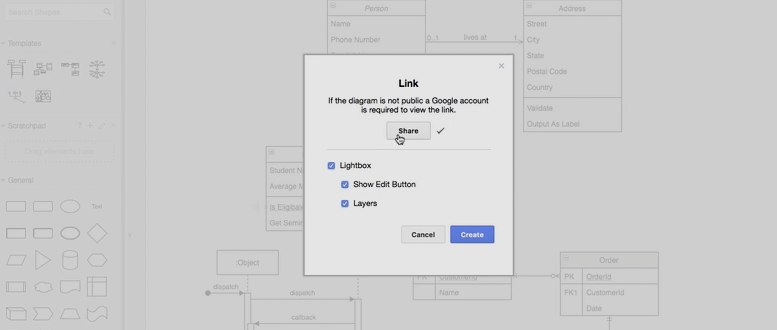
You can now share a draw.io diagram with everyone, providing it is stored as a public file. Step 1: Click File → Publish → Link You can check whether a diagram is public, by clicking Share. This will show you the current sharing settings for your diagram.…

By Gaudenz Alder|

Why Are Diagrams So Powerful?

Why Are Diagrams So Powerful?

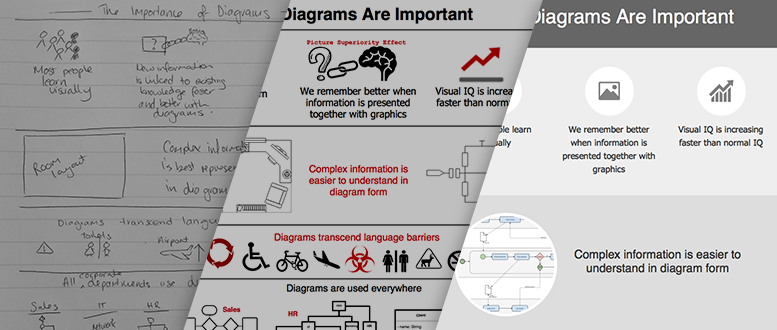
Visual communication has quickly risen to be the dominant form of communication on the web, and is increasingly used within corporate intranets. In fact, diagrams are more popular than text when presenting certain types of information, particularly dense…

By Kymberly Fergusson|

Experience the power of draw.io

How would you like to explore?

draw.io Digest – Subscribe to our Newsletter

Yes, I would like to receive the draw.io for Confluence and Jira newsletters, whitepapers, the latest blog posts, and announcements. (You can unsubscribe at any time.)

For more information about our data usage, please refer to our privacy policy.

Here you will find an overview of all cookies used. You can give your consent to whole categories or display further information and select certain cookies.